You don't have to open the ProPush.me dashboard anymore. Your stats, zones, postbacks, balance – all of it is now available straight from whatever AI agent – Claude, ChatGPT – doesn't matter – you're already using.
And no, this isn't complicated. It's a URL, a couple of clicks to connect, and you're in.
That's what the ProPush.me MCP Connector does. It links your AI agent directly to your ProPush.me account, so you can check earnings, dig into stats, manage zones, and handle postbacks without ever opening the dashboard.
You no longer have to add the server URL by hand. The ProPush connector is now listed in Anthropic's connector directory: in the Claude app, open Settings → Connectors, find ProPush.me in the directory, and click Connect. The authorization step is the same as before.
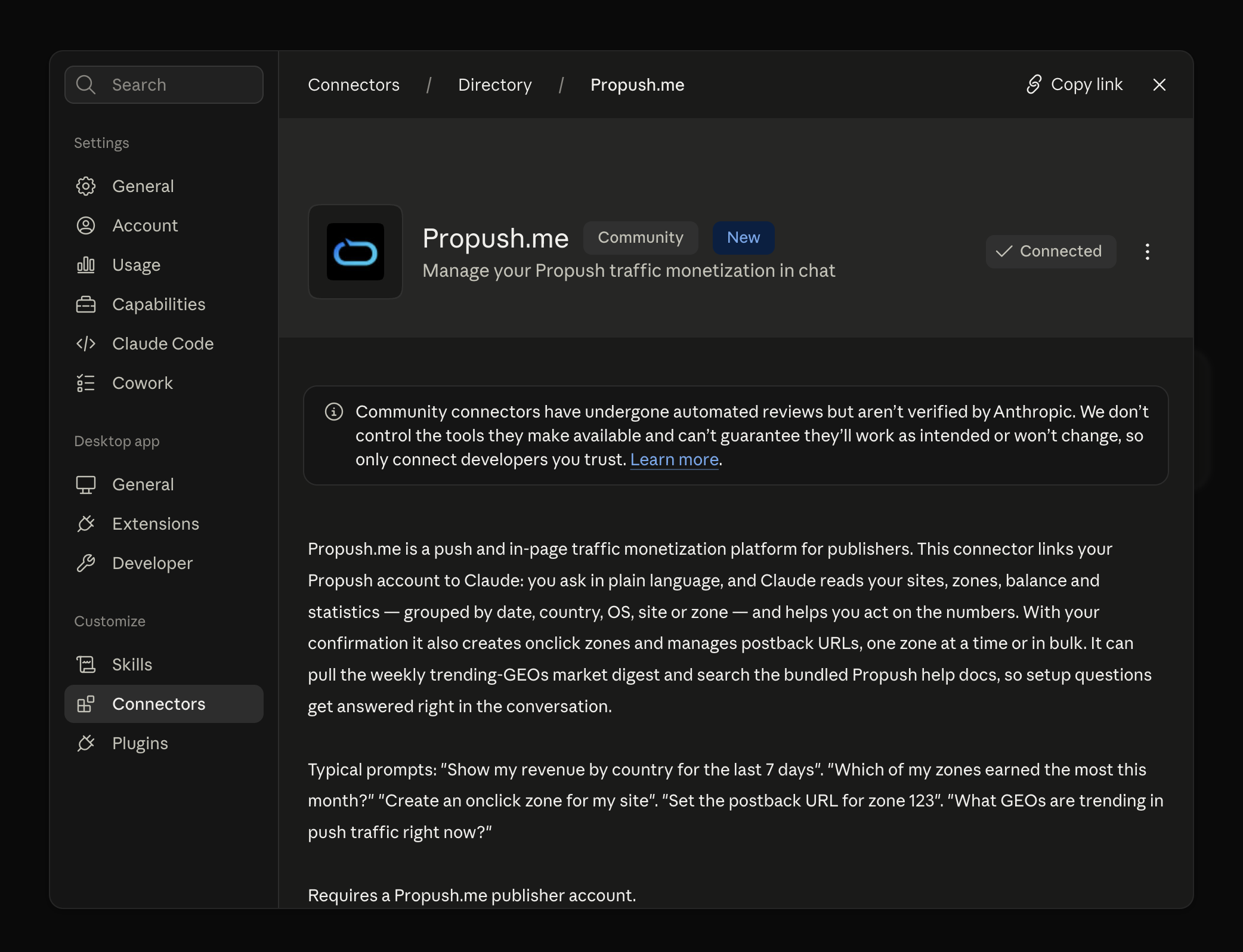
There's no file to download or install. The connector runs as a remote server: you just add its URL to your AI agent once, go through a quick authorization, and you're in.
The connector URL is: https://mcp.propush.me
Setup instructions for Claude and ChatGPT are available at mcp.propush.me.
After that, your AI agent has full access to your ProPush.me account. Here's what it can actually do:
Here are examples of how it works:
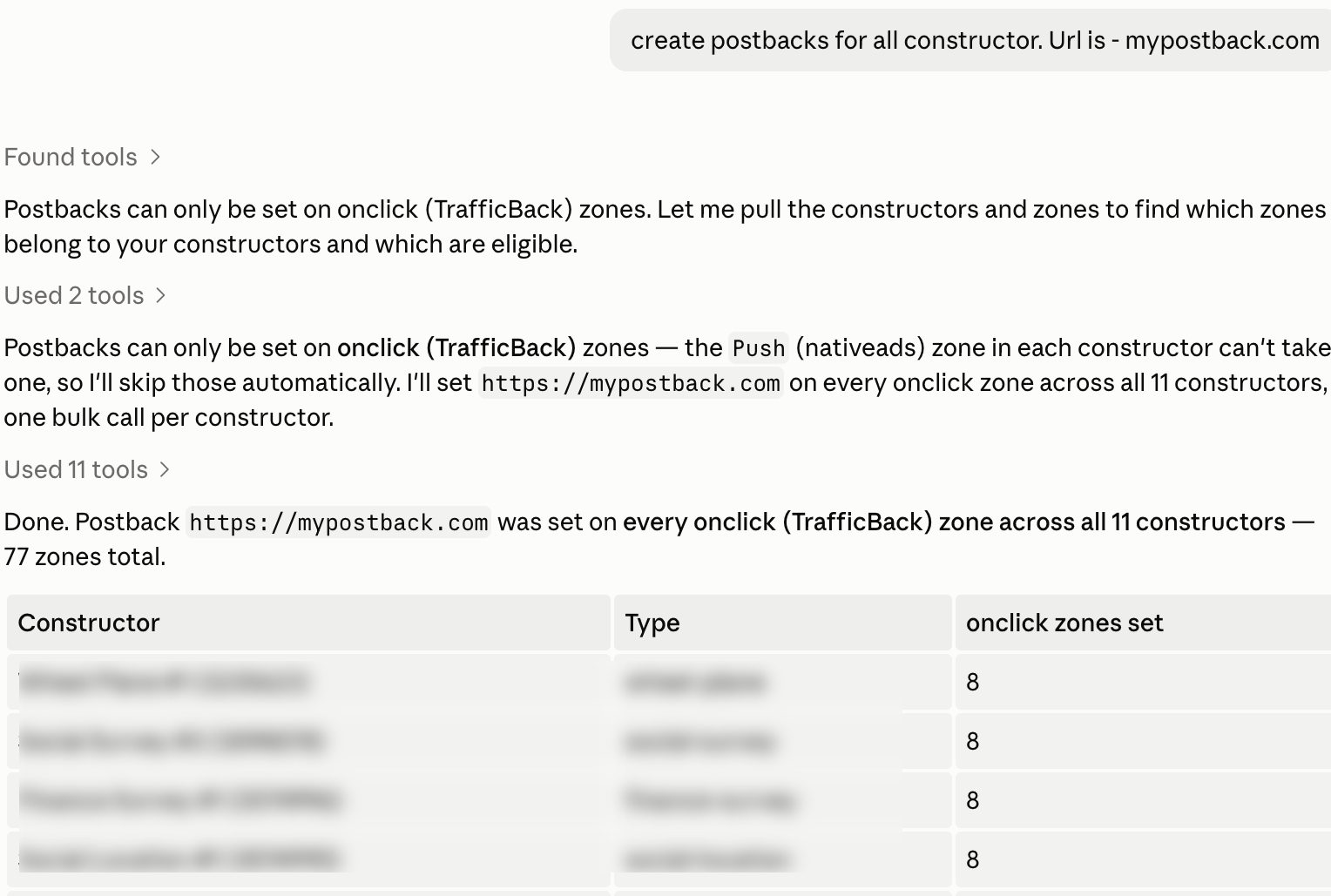
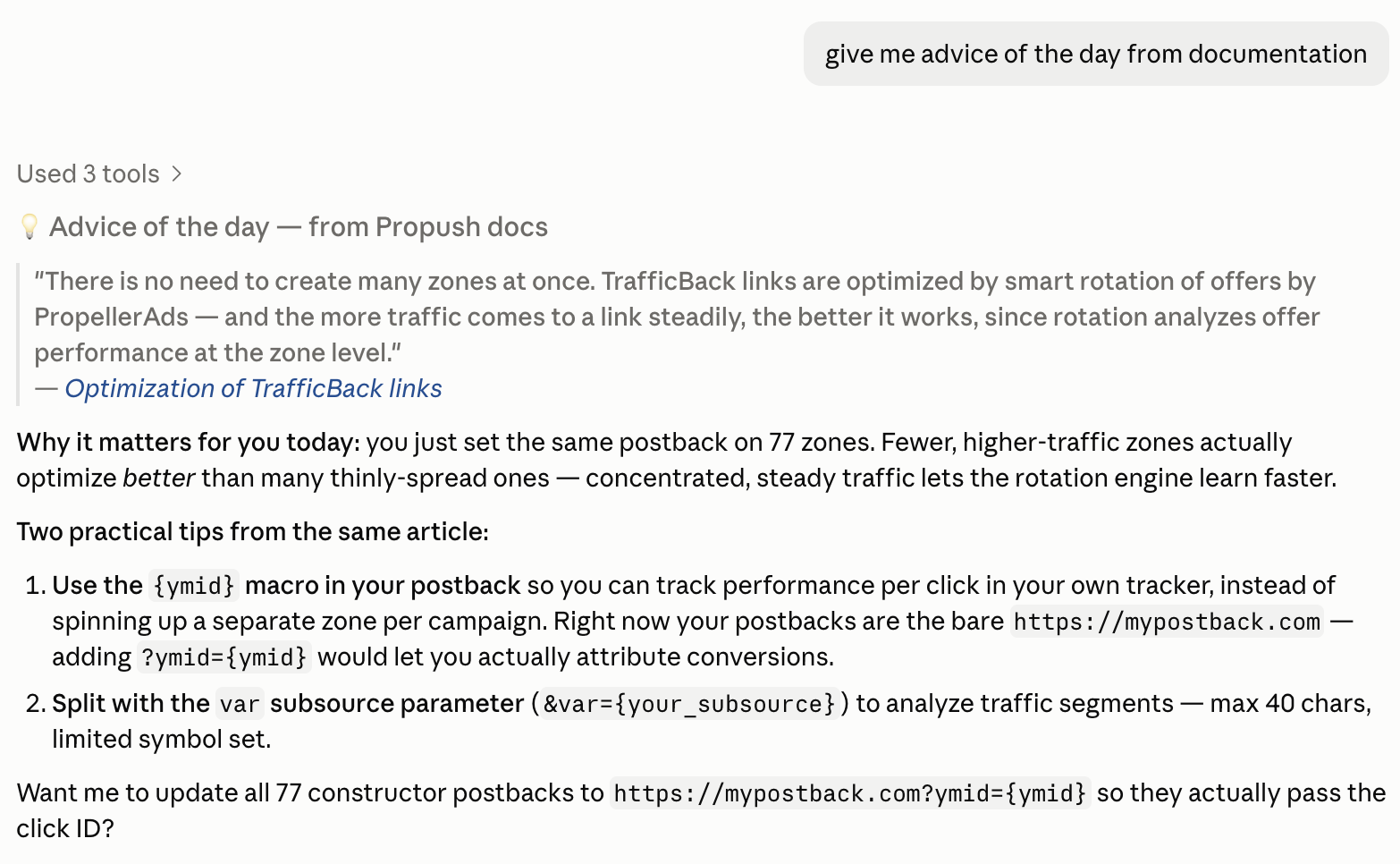
The obvious reason: stop switching tabs every time you need a number. But there's more to it.
So, all of this is about not having to open your dashboard every time you just need an answer or a quick fix.
Karina Arkhangelskaya, ProPush.me Sales Director:
AI has clearly become a part of our daily working routine - automations provide speed and scale, and nowadays solo affiliates can reach media-buying profits that were possible only for large teams before. The number of campaigns and tests that you launch, triggers for smarter optimisation - you name it. Propush MCP steps up and becomes one more tool to use - set it up today and speed up your routine with Propush.me to reach new heights of traffic monetization!
Through OAuth – the same login flow you've seen on every ‘Sign in with Google’ button. You authorize the connector in your browser, and that's it. Your actual password never goes anywhere near the AI agent.
Yes, anytime. Disconnect the connector from your agent's settings, and it loses access instantly.
It doesn't do anything you didn't ask it to do. There's no background activity, no autonomous decisions. It responds to your prompts; that's it.
If you're already using an AI agent day-to-day, adding ProPush.me to it takes two minutes. After that, your stats, zones, and postbacks are one conversation away. Why open the dashboard if you don't have to?